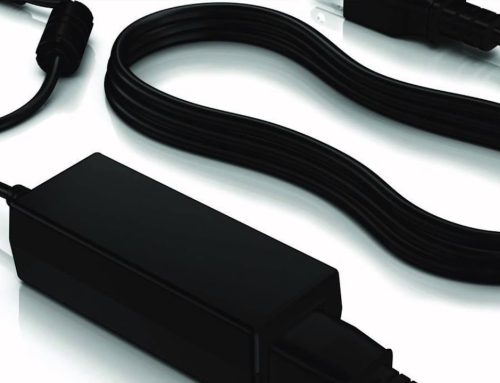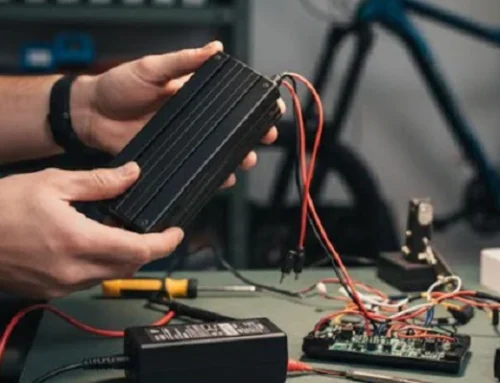
A power adapter is one of the most common electronic accessories we use every day, and it’s easy to take it for granted. We plug it in, use it to charge our devices, and forget about it—until something goes wrong. A faulty power adapter or improper use can lead to slow charging, device damage, overheating, and even fire hazards. The good news is that almost all power adapter safety risks are avoidable.
Power adapter safety isn’t just about protecting your expensive electronics (laptops, phones, cameras)—it’s about protecting your home and family too. Most power adapter-related accidents are caused by simple, preventable mistakes: using a cheap low-quality adapter, overloading the adapter, or ignoring signs of wear and tear.
In this article, we share 7 critical, easy-to-follow safety tips for using power adapters correctly. These tips apply to all types of adapters (AC/DC, laptop chargers, LED drivers, universal adapters) and all electronic devices. Follow them, and you’ll keep your devices safe, extend the lifespan of your adapters, and eliminate unnecessary safety risks in your home. No technical skills required—just common sense and a little care.
1. Never Use a Mismatched Power Adapter (The #1 Safety Rule)
This is the most important safety tip of all, and it bears repeating: always use a power adapter that matches your device’s voltage and current specs exactly. A mismatched adapter is the single biggest cause of device damage and power adapter fires.
• If the adapter’s voltage is higher than your device needs: It will fry your device’s internal circuits, battery, and motherboard—this damage is permanent and cannot be fixed.
• If the adapter’s voltage is lower: Your device won’t charge or turn on, and the adapter will overheat trying to supply enough power, leading to adapter failure.
• For current (amps): You can use an adapter with a higher current rating (safe), but never a lower one (risk of overheating and fire).
Always check the specs label on your device or original charger before using a replacement adapter. This one simple step will prevent 90% of power adapter-related accidents.
2. Avoid Cheap, Unbranded Power Adapters (Invest in Quality)
We all love a good deal, but when it comes to power adapters, cheap = risky. Low-cost, unbranded adapters (often sold at discount stores or online for a few dollars) are made with inferior materials, cut corners on safety features, and lack proper voltage regulation. They may look like a genuine adapter, but they’re not tested to meet safety standards.
These cheap adapters often deliver unstable power, which damages your device’s battery and internal parts over time. Worse, they can overheat, melt, spark, or even catch fire. A high-quality branded or certified power adapter may cost a little more upfront, but it includes critical safety features: overvoltage protection, overcurrent protection, short-circuit protection, and overheat protection. It’s a small investment that protects your devices and your home—quality is non-negotiable for power adapters.
3. Check for Wear & Tear (Replace Damaged Adapters Immediately)
Power adapters are used daily, and over time, they show signs of wear and tear. This wear isn’t just cosmetic—it’s a serious safety hazard. You should stop using your power adapter immediately if you notice any of these red flags:
• Frayed, cracked, or exposed wires on the cord (especially near the plug or adapter body)
• A loose connector that wiggles in your device’s charging port (causes intermittent power)
• The adapter feels hot to the touch (even after a few minutes of use)
• Sparks, buzzing, or a burning smell when you plug it in
• Discoloration (yellow/brown marks) on the adapter or plug
Damaged adapters can cause short circuits, electric shocks, or fires. Don’t try to repair a damaged adapter (e.g., wrapping frayed wires with tape)—it’s not safe. Simply replace it with a new one. A new adapter is far cheaper than repairing a damaged device or dealing with a fire.
4. Do Not Overload Power Strips & Wall Outlets
Power adapters draw power from your wall outlet, and overloading that outlet (or a power strip) is a major fire risk. Never plug multiple high-power adapters (e.g., laptop chargers, space heater adapters) into a single power strip or wall outlet. Even low-power adapters add up—too many plugged in at once can cause the outlet to overheat and trip the circuit breaker, or worse, start a fire.
A good rule of thumb: one high-power adapter per outlet. For small low-power adapters (phone chargers, router adapters), you can use a power strip, but avoid daisy-chaining power strips (plugging one strip into another). This spreads the power too thin and increases the risk of overheating.
5. Keep Power Adapters Cool & Ventilated (No Cloth, No Enclosed Spaces)
Power adapters generate a small amount of heat when in use—that’s normal. But they need space to cool down, and covering them or placing them in enclosed spaces traps that heat, leading to overheating and damage.
Never place your power adapter under a pillow, blanket, rug, or inside a closed cabinet while it’s in use. Don’t stack other electronics on top of it, and avoid placing it on soft surfaces (beds, couches) that block airflow. Keep it on a hard, flat surface (desk, floor) with plenty of space around it, and it will stay cool and safe.
6. Unplug Adapters When Not in Use (Save Energy & Reduce Risk)
It’s easy to leave your power adapter plugged in all the time, even when you’re not using it—but this is a bad habit for two reasons: safety and energy waste. A power adapter that’s plugged in (but not charging a device) still draws a small amount of standby power (called “phantom power”), which adds up to higher electricity bills over time.
More importantly, a plugged-in adapter is still connected to the electrical grid, which means it’s at risk of power surges (from lightning storms or grid issues) that can damage the adapter or even cause a fire. Unplugging your adapter when you’re not using it (e.g., when traveling, or overnight) is a simple way to save energy and eliminate this risk. It also extends the adapter’s lifespan by reducing wear and tear.
7. Keep Adapters Away from Water & Moisture (Indoor Use Only, Unless Waterproof)
Most standard power adapters are designed for indoor use only—they are not waterproof or water-resistant. Water and electricity do not mix, and exposing your power adapter to water (spills, humidity, rain) can cause a short circuit, electric shock, or permanent damage to the adapter and your device.
If you need a power adapter for outdoor use (e.g., outdoor security cameras, LED lights), make sure to buy a waterproof (IP65/IP67 rated) adapter that’s specifically designed for outdoor use. For indoor adapters, keep them away from sinks, bathtubs, humidifiers, and other sources of moisture. If an adapter gets wet, unplug it immediately and let it dry completely before using it (if it still works).
Final Safety Note
Power adapters are safe, reliable tools when used correctly. The vast majority of accidents are caused by human error: using the wrong adapter, ignoring wear and tear, or cutting corners on quality. By following these simple safety tips, you can protect your devices, save money, and keep your home safe. A little care goes a long way when it comes to powering your electronics.
7 Essential Safety Tips for Using Power Adapters (Protect Your Devices & Home)
Share This Story, Choose Your Platform!
About the Author: myixi