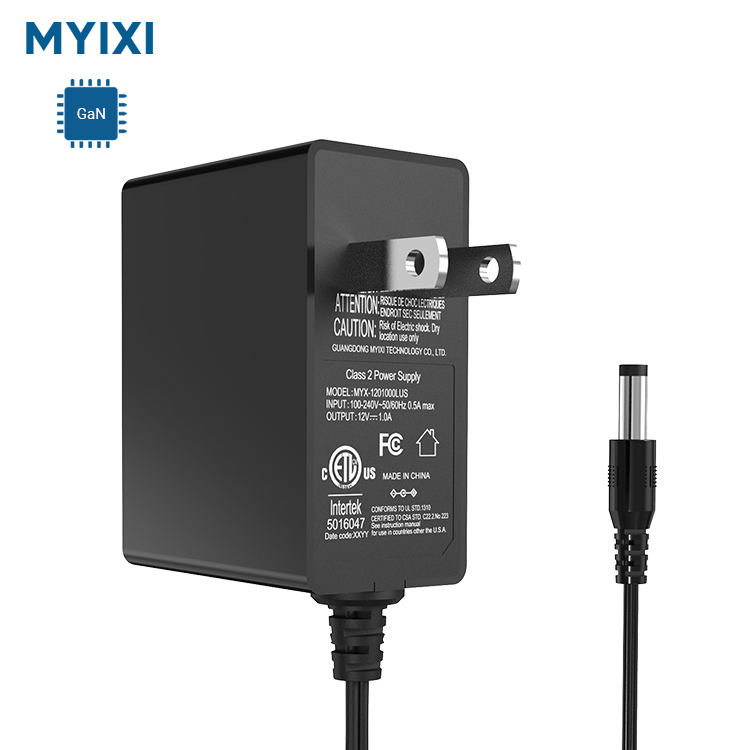
A high-quality power adapter is an investment—one that powers your most essential electronic devices, from your laptop and phone to your router and smart home gear. And like any investment, you want it to last as long as possible. The good news is that power adapters don’t wear out on their own. Most adapters fail early because of improper use, neglect, or small avoidable mistakes.
The average lifespan of a well-cared-for power adapter is 3-5 years, and many last even longer. A poorly cared-for adapter, however, can fail in just a few months—leaving you without power for your devices and forcing you to buy a replacement. The best part? Extending your power adapter’s lifespan doesn’t require any special tools or technical knowledge. It just takes a few simple habits and small adjustments to how you use and store your adapter.
In this article, we share 10 proven, easy-to-follow tips to make your power adapter last longer. These tips apply to all types of power adapters: AC/DC wall adapters, laptop chargers, USB-C adapters, LED drivers, and universal adapters. They’ll protect your adapter from damage, reduce wear and tear, and keep it working like new for years to come. Best of all, they’ll also protect your devices from damage caused by a faulty adapter—double win.
1. Start with a High-Quality Adapter (The Foundation of Longevity)
This tip comes first because it’s the most important: you can’t extend the lifespan of a bad adapter. Cheap, unbranded power adapters are made with low-quality components that wear out quickly, even with perfect care. They lack proper safety features, deliver unstable power, and are prone to overheating and failure.
Investing in a premium, certified power adapter (matching your device’s specs exactly) is the single best thing you can do for long-term use. High-quality adapters use durable materials, high-grade wiring, and solid internal components that stand up to daily use. They may cost a little more upfront, but they pay for themselves by lasting years longer than a cheap adapter—no need for frequent replacements. This is the #1 tip for a long-lasting power adapter.
2. Avoid Bending, Twisting, or Kinking the Cord (The #1 Cause of Early Failure)
If you look at a failed power adapter, 9 times out of 10, the problem is with the cord—not the adapter body itself. The cord (especially the area where it connects to the adapter and the plug) is the weakest part of the adapter. Constant bending, twisting, kinking, or pulling on the cord causes the internal wires to fray, break, or become exposed. This leads to intermittent power, short circuits, and eventually, a dead adapter.
How to protect the cord:
✅ Never wrap the cord tightly around the adapter (this bends the wires at a sharp angle)
✅ Use cable organizers or velcro straps to wrap the cord loosely when not in use
✅ Avoid pulling the cord to unplug the adapter (always pull the plug itself)
✅ Keep the cord away from sharp edges (desks, furniture) that can cut or fray it
✅ For adapters with a detachable cord, check the connection regularly for looseness
Protecting the cord is the easiest way to add years to your adapter’s life—treat it gently, and it will reward you with long use.
3. Keep the Adapter Cool (Overheating Kills Adapters Fast)
Power adapters generate heat when they’re in use—that’s normal. But excessive heat is the biggest enemy of your adapter’s internal components. Overheating causes the plastic casing to warp, the wiring to degrade, and the internal circuit board to burn out. It also speeds up wear and tear on the battery of your device (if you’re charging it). The good news is that overheating is almost always avoidable.
Easy ways to keep your adapter cool:
✅ Always place the adapter on a hard, flat surface (desk, floor) with plenty of ventilation—never on a bed, couch, pillow, or rug (soft surfaces trap heat)
✅ Do not cover the adapter with cloth, books, or other electronics while it’s in use
✅ Avoid using the adapter in direct sunlight or in hot rooms (e.g., next to a heater or oven)
✅ Unplug the adapter if it feels unusually hot to the touch (this is a sign of strain)
A cool adapter is a happy adapter—simple as that.
4. Unplug the Adapter When It’s Not in Use (Reduce Standby Wear)
We all do it: leave the power adapter plugged into the wall even when we’re not charging our devices. It’s convenient, but it’s bad for the adapter (and your electricity bill). A plugged-in adapter draws a small amount of standby power (phantom power) even when it’s not in use, which keeps the internal components active and warm. This constant low-level use causes slow wear and tear over time, shortening the adapter’s lifespan.
Additionally, a plugged-in adapter is exposed to power surges (from lightning storms, grid fluctuations, or even turning on other appliances). These surges can damage the adapter’s internal voltage regulator, even if they’re small and unnoticeable. Unplugging the adapter when you’re not using it (overnight, when traveling, or for long periods) eliminates this risk and stops the standby wear. It’s a simple habit that adds months (or years) to your adapter’s life.
5. Don’t Overload the Adapter (Stick to Its Rated Power)
Every power adapter has a maximum power rating (measured in watts, W) that tells you how much power it can supply safely. This rating is based on the adapter’s voltage and current specs (Watts = Volts × Amps). Using the adapter to power a device that requires more power than its rated capacity forces the adapter to “overwork”—it has to supply more power than it’s designed for, leading to overheating, voltage drops, and premature failure.
Rule of thumb: Always use the adapter for a device that requires equal or less power than the adapter’s rating. If you need to power a higher-power device, buy a new adapter with a matching (or higher) power rating. Never push your adapter beyond its limits—it’s not worth the risk of damage to the adapter or your device.
6. Keep the Adapter Clean & Dust-Free (Dust = Heat = Damage)
Dust and dirt are small, but they can cause big problems for your power adapter. Dust accumulates in the adapter’s vents (if it has them) and on the plug, blocking airflow and trapping heat. Over time, this dust buildup leads to overheating, which degrades the internal components and slows down power delivery. Dust on the plug can also cause poor electrical contact, leading to intermittent power and sparking when you plug it in.
How to clean your adapter (easily and safely):
✅ Unplug the adapter first (critical for safety!)
✅ Wipe the adapter body with a dry, soft cloth to remove dust and dirt
✅ Use a small brush (toothbrush works great) to clean dust from the plug prongs and vents
✅ For sticky spots, use a slightly damp cloth (no harsh chemicals) and dry it completely before plugging it back in
Cleaning your adapter once a month is enough to keep dust buildup at bay—and it only takes 30 seconds. A clean adapter runs cooler and lasts longer.
7. Avoid Extreme Temperatures (Hot or Cold)
Power adapters are designed to work in normal room temperatures (20°C – 25°C / 68°F – 77°F). Exposing them to extreme heat or extreme cold causes serious damage to the internal components and the cord. Extreme heat melts the plastic casing and degrades the wiring insulation, while extreme cold makes the plastic brittle and the cord stiff—causing it to crack or break when bent.
What to avoid:
❌ Leaving the adapter in a hot car (summer temperatures can reach 60°C / 140°F inside a car)
❌ Placing the adapter near a heater, oven, or direct sunlight
❌ Leaving the adapter outside in cold weather (winter temperatures below 0°C / 32°F)
❌ Storing the adapter in a garage or attic with extreme temperature swings
Keep your adapter in a cool, dry place with stable temperatures, and it will stay in good condition for years.
8. Use a Surge Protector (Protect Against Power Spikes)
Power surges are sudden, brief increases in voltage that travel through your electrical grid. They can be caused by lightning storms, power outages, or even turning on large appliances (e.g., a fridge or air conditioner). These surges are invisible, but they’re deadly for power adapters—they fry the internal circuit board and voltage regulator, rendering the adapter useless in an instant.
A surge protector (power strip with surge protection) is a cheap and effective way to protect your adapter (and all your electronics) from power surges. It absorbs the excess voltage and prevents it from reaching your adapter. For valuable adapters (like laptop chargers), this is a must-have accessory—especially if you live in an area with frequent thunderstorms or power grid issues. It’s a small investment that saves you from costly replacements.
9. Don’t Use the Adapter for Devices It’s Not Designed For
We’ve said it before, but it’s worth repeating: always use the right adapter for the right device. A power adapter that’s designed for a small device (e.g., a phone charger) should never be used to power a larger device (e.g., a laptop). Even if the connector fits, the adapter will be underpowered and overheat, leading to failure. Similarly, an adapter with the wrong voltage will damage your device and the adapter itself.
Mismatched adapters cause more early failures than any other factor. Take 10 seconds to check the specs before using an adapter—this simple step will save you from costly mistakes and extend your adapter’s life.
10. Store the Adapter Properly When Not in Use (Avoid Tangles & Damage)
How you store your power adapter when it’s not in use (e.g., traveling, or for long periods) has a big impact on its lifespan. Tangled cords, tight wrapping, and rough storage cause the cord to fray and the plug to bend. Proper storage keeps the adapter safe and prevents unnecessary wear and tear.
Pro storage tips:
✅ Wrap the cord loosely (not tightly) around the adapter—leave a little slack at the connection points to avoid bending the wires
✅ Use a velcro strap or cable tie to keep the cord neat (avoid rubber bands, which stretch and break the cord)
✅ Store the adapter in a soft pouch or case (especially when traveling) to protect it from bumps and scratches
✅ Keep the adapter away from other heavy objects (e.g., in a bag) that can crush or bend it
Wrapping Up
Your power adapter works hard to keep your devices powered, and a little care and attention are all it takes to make it last for years. The tips in this guide are simple, easy to follow, and require no extra cost—they’re just small habits that add up to a longer-lasting adapter. A well-cared-for power adapter not only saves you money on replacements but also keeps your devices safe and powered reliably.
At the end of the day, your power adapter is a vital part of your electronic setup. Treat it well, and it will serve you well for a long time.