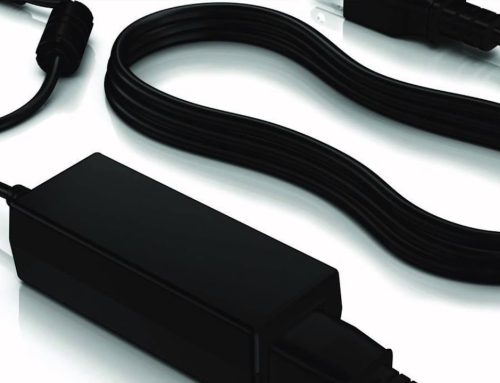
With the popularization of digital devices, power adapters have long become an “invisible necessity” in our lives—almost every device, from mobile phones, laptops, and tablets to smart home devices, cannot do without them. However, many people fall into the misunderstandings of “just looking at the price” or “buying whatever works” when purchasing. As a result, minor issues such as slow charging and frequent power outages occur, and in severe cases, the device battery is damaged, or even safety hazards are caused. As a professional engaged in the power adapter field for 5 years, I will teach you how to choose a suitable and safe power adapter from 3 core dimensions today.
Dimension 1: Compatibility First, Accurately Match Device Requirements
Compatibility is the first principle for purchasing a power adapter, and discussing adaptation without considering the device is meaningless. Many users mistakenly believe that “if the interface can be plugged in, it can be used”, which is actually the most common misconception. To judge compatibility, we mainly look at two key parameters: output power and interface type.
Output power is usually calculated as “voltage × current” with the unit of watts (W). When purchasing, it is necessary to ensure that the output power of the adapter is ≥ the rated power of the device. For example, if a laptop is marked “19V × 3.42A = 65W”, a 65W or higher power adapter must be selected. Choosing a 30W adapter will lead to slow charging and frequent device restarts due to insufficient power, and long-term use will also accelerate battery loss. On the contrary, when purchasing an adapter for a mobile phone, even if the adapter power is higher than the rated power of the phone (such as using a 65W adapter to charge a 20W mobile phone), as long as the interface is compatible, the device will automatically adjust the input power, so there is no need to worry about “excessive power damaging the device”.
The interface type should be accurately matched according to the device interface. Currently, mainstream interfaces include USB-A, Type-C, DC round port, etc. Among them, the Type-C interface has become the first choice for laptops, tablets, and high-end mobile phones because it supports two-way fast charging and blind insertion in both directions. It should be noted that some devices use dedicated interfaces (such as the MagSafe interface of Apple laptops), so it is necessary to choose the corresponding original or certified third-party adapters to avoid poor contact.
Dimension 2: Safety as the Foundation, Recognize Certifications and Core Configurations
As an “electric energy conversion hub”, the safety of the power adapter is directly related to the safety of the device and personal safety. Inferior adapters are prone to short circuits, overheating, and fire risks due to cutting corners, while products that have passed authoritative certifications can avoid these problems from the source.
When purchasing, you must recognize the certification marks on the adapter body. Common authoritative certifications include UL (Underwriters Laboratories Certification), CE (European Union Safety Certification), CCC (China Compulsory Product Certification), etc. These certifications mean that the product has passed strict electrical performance, fire prevention, and leakage prevention tests. In addition, attention should also be paid to the internal core configuration: high-quality adapters will use high-temperature resistant PC flame-retardant casings, which can effectively insulate high temperatures; built-in multiple protection chips such as overload protection, short-circuit protection, and overvoltage protection will automatically cut off the power when there is an abnormality in the circuit to avoid damaging the device.
Here is a simple identification method for you: under the same power, inferior adapters are usually lighter (because protective components are reduced due to cutting corners), while high-quality adapters feel heavier, with clear parameter markings and certification logos on the body, without ambiguity.
Dimension 3: Scenario Adaptation, Balancing Portability and Multi-Device Needs
In addition to compatibility and safety, it is also necessary to choose products suitable for the usage scenario. For daily home or office use, a single-port adapter with fixed power can be chosen, which has stronger stability; if you often travel on business, portability becomes the key. It is recommended to choose a “mini adapter” with small size and light weight. For example, our 65W mini Type-C adapter weighs only 100g, which is 40% smaller than traditional adapters and can be easily put into a carry-on backpack.
If you need to charge multiple devices at the same time (such as mobile phones + laptops + tablets), a multi-port adapter will be a more efficient choice. Currently, mainstream multi-port adapters have combinations such as “1 Type-C + 2 USB-A” and “2 Type-C + 1 USB-A”, which support intelligent power distribution to ensure that each device can be charged efficiently and avoid messy winding of multiple charging cables on the desktop.
Finally, a reminder: do not buy uncertified “three-no products” to save tens of dollars. A high-quality power adapter can not only extend the service life of the device but also protect safety. If you are not sure which adapter is suitable for your device, please feel free to consult our online customer service. Our full range of power adapters have passed multiple international safety certifications and are compatible with 99% of mainstream digital devices. Click the link below to learn more~